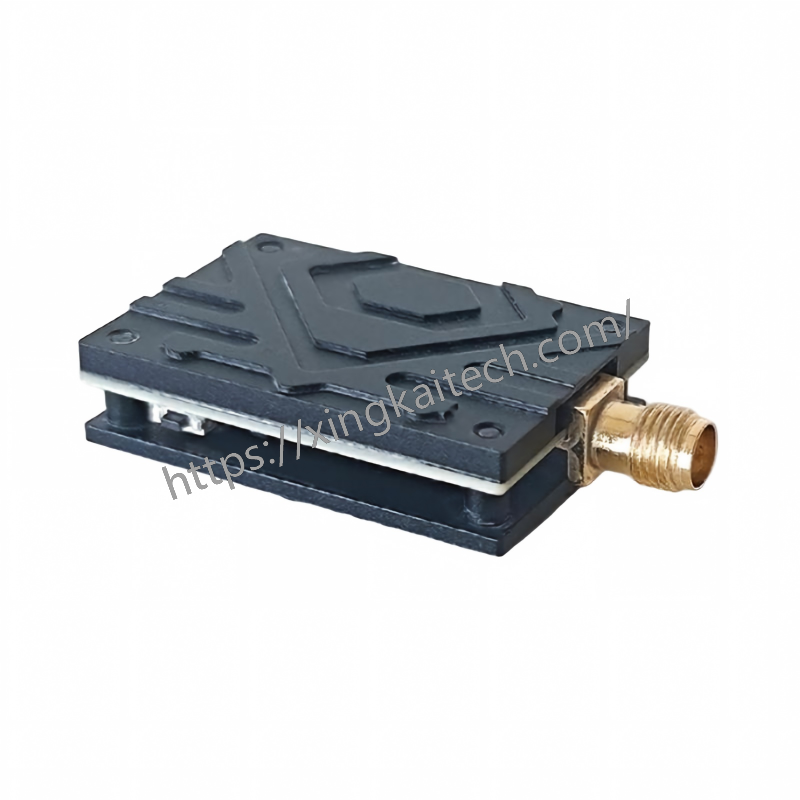
8.5G 25mW FPV VTX Video Transmitte
Product Features:
Adopts high-performance RF PCB material (Rogers 4350B), enabling excellent RF performance in various environments.
Excellent heat dissipation design ensures consistent performance in harsh conditions.
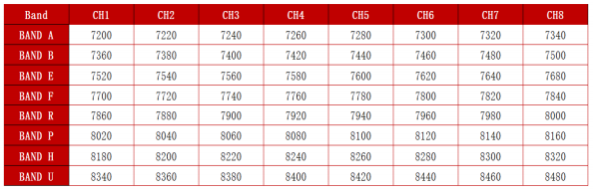
64 frequency bands, covering 7.2~8.5G with arbitrary frequency points and customizable frequency combinations (step 1MHz).
Supports SA protocol (customizable protocols are available).
Supports 5V output.
Wide voltage input: 7~28V (2~6S).
All products adopt a lightweight design to reduce weight effectively.
High-quality RF power amplifiers are selected to improve work efficiency.
Single-button operation minimizes the product volume.
FEATURES
Adopts high-performance RF PCB material (Rogers 4350B), enabling excellent RF performance in various environments.
Excellent heat dissipation design ensures consistent performance in harsh conditions.
64 frequency bands, covering 7.2~8.5G with arbitrary frequency points and customizable frequency combinations (step 1MHz).
Supports SA protocol (customizable protocols are available).
Supports 5V output.
Wide voltage input: 7~28V (2~6S).
All products adopt a lightweight design to reduce weight effectively.
High-quality RF power amplifiers are selected to improve work efficiency.
Single-button operation minimizes the product volume.
Technical Parameters
| Input Voltage | 7-28V ,6S battery is suggested |
| Output Voltage | 5V |
| Channels | 64CH |
| Power | 25mW |
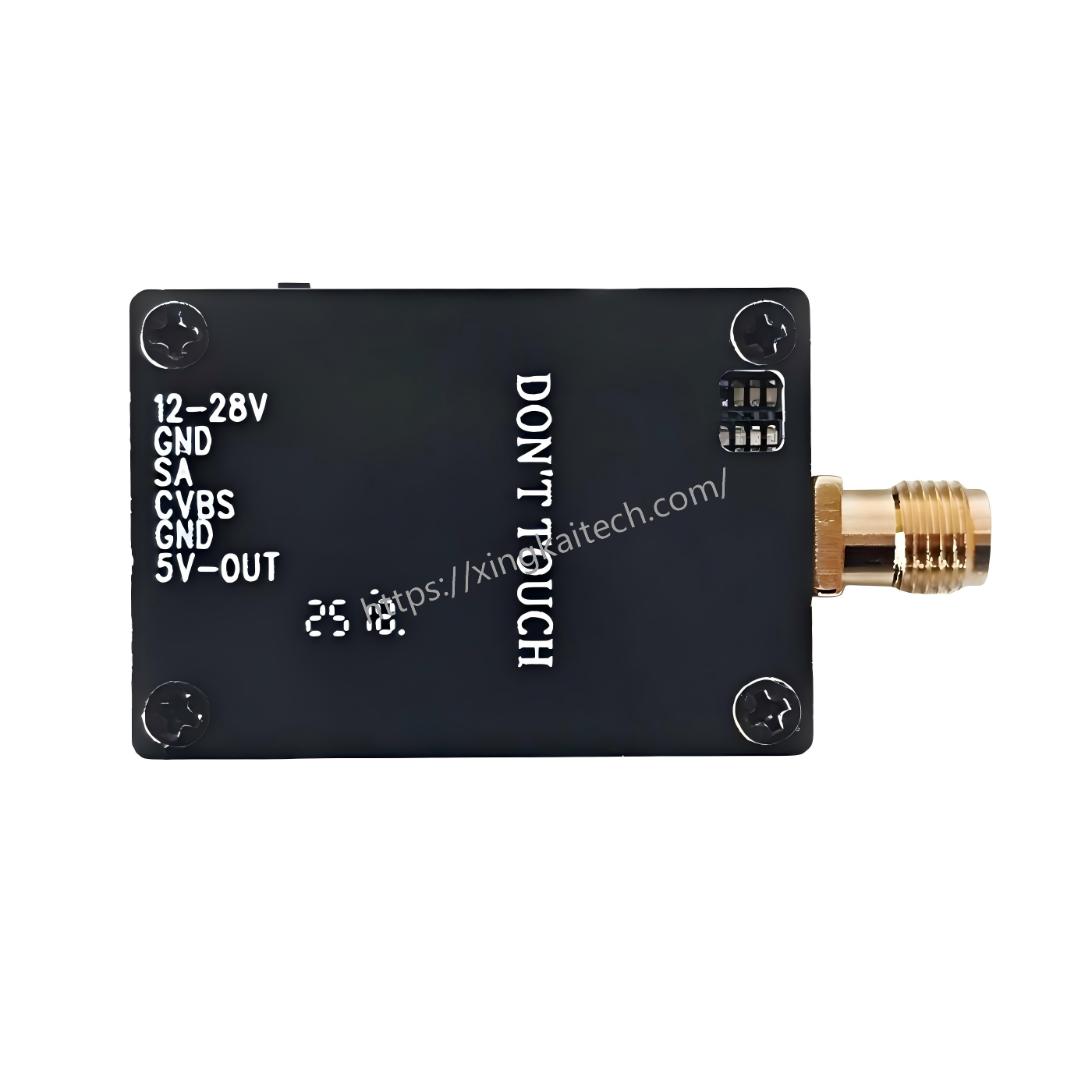
| Mounting Hole | 20 X 31mm |
| Antenna Connector | SMA |
| Power Consumption | 12V/90mA 28V/40mA |
| Extra Feature | / |
| Microphone | Not Supported |
| Cable Connector | Jst 6 Pin |
| Weight | 14.5g |
| Size | 36X25X9mm |
Precautions:
1、LED Display Instructions
In the idle state (no operations), the channel indicator and frequency band indicator will flash alternately. The number of consecutive flashes represents the current value.
When short-pressing the button in idle mode, it is used to adjust the channel. At this time, only the channel indicator will flash, stop for a while, and then continue to flash (the frequency band indicator will not flash). There are 8 channels in total (1-8).
Long-pressing the button enters the frequency band adjustment mode. After
entering this mode, only the frequency band indicator will flash (the channel indicator will not flash), with a total of 8 different frequency bands.
2、PIT Mode: Press and hold the button before powering on until startup is complete to enter PIT mode.
3、Power Supply: 2S~6S.
4、Warning: Do not power on the VTX module without an antenna installed, as this may damage the power amplifier.
Band:
Press button for 3seconds until the English letter flashes in LED,then short press to select band A/B /E/F/R/P/H/U.
Channel:
Select channels 1/2/3/4/5/6/7/8 by simple short presses.
Power:
Press button for 6 seconds until the number quick flashes in LED,then short press to select power. The LED will display “band””channel””power” successively after setting.
Notice: LED flashes a number 2 times quickly while displaying power.
Band and Channel Frequency Table:
Related Products